Custom LED Neon Signs for Twitch and Streaming Setups
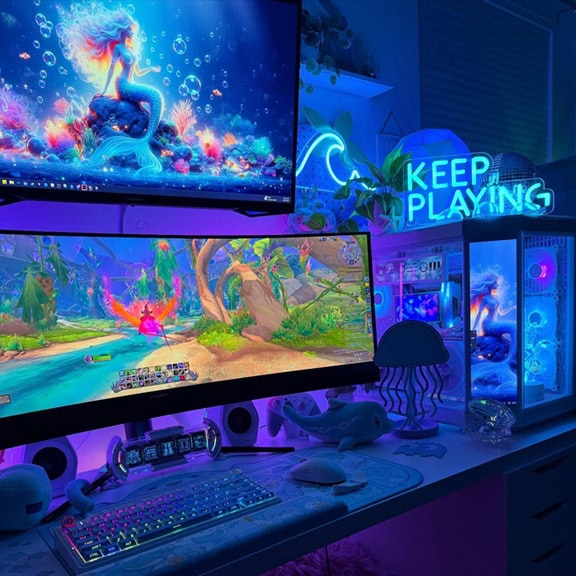


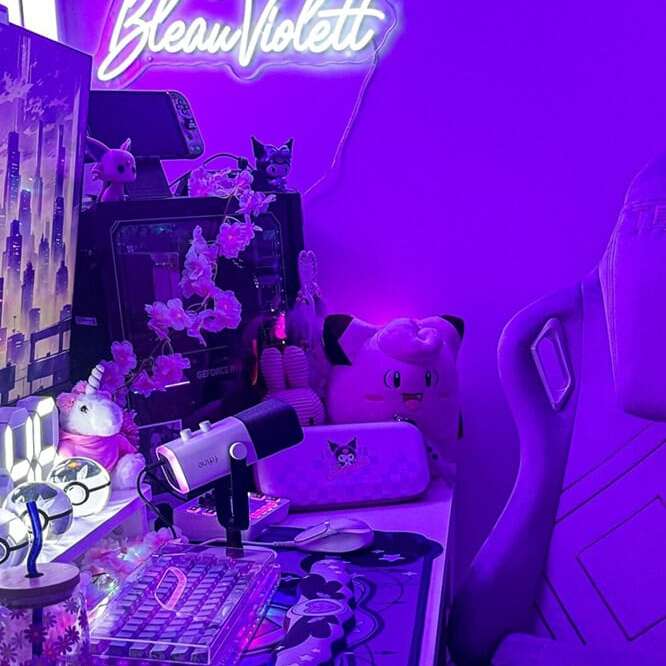
Custom LED neon signs for Twitch and streaming setups are gamertag, username, and channel branding signs designed to read within a webcam overlay during live broadcasts. Echo Neon builds custom LED signs for streamers and has been doing it since 2015.
A streaming setup is not a YouTube studio. In a YouTube video, the person fills the frame and the sign fills the background. In a Twitch stream, the game fills the screen. The person is a webcam overlay in one corner. The sign must read within that small webcam rectangle, which changes how the sign is sized, positioned, and lit.
The most popular builds are gamertag signs, channel logo signs, catchphrase signs, and gaming icon signs.
Looking for game-first framing that makes streaming different, how to position and size for the webcam overlay, how green screens interact with sign color, how brightness works in a dark streaming room, and what streamers put on their signs? You will find it here.
For video-first content (YouTube filming, talking-head videos), see our YouTube studio neon signs page. To browse other use cases, see all our shop by use case options.

White tube Colored tube
Steps to get your custom neon logo
Design your piece
Looking for a graphic-based neon sign? Upload your file and drop us a line about its size, color, and how soon you need it.
Get your quote
Uploaded? Sit back, and relax. our team will jump right in and transform it into a proof ready for your approval within 24 hours.
Confirm your design
Once you're happy with your proof, just make the payment with our secure invoice and then the magic begins! Your handcrafted neon art will be ready to ship within one week.
Front door delivery
Enjoy free worldwide delivery for all custom neon sign orders! When it comes to the packaging, we don’t mess around with your neon art piece! It will be packed with protective bubble wrap in a sturdy cardboard box or custom wooden case ready for adventure.
Create a Custom Neon Sign
 Learn moreDots will be represented as short lines.
Font
Learn moreRGB Color is Not Available for Egypienne font.Color -
White tube when off
Colored tube when off
Select each letter to customize its colorMulti Color
 True Color
Size (Height of each line):
The sign width will be proportional to the chosen font and word spacingW×H(approx.):0.00cm × 0.00cm0.00in × 0.00in

Free 3M Command Strips
For best results, we recommend using at least one pair of Command Strips per foot of width.
Free Standard Screws
Production Time: 1-2 weeks

Steps to get your custom neon logo
Design your piece
Looking for a graphic-based neon sign? Upload your file and drop us a line about its size, color, and how soon you need it.
Get your quote
Uploaded? Sit back, and relax. our team will jump right in and transform it into a proof ready for your approval within 24 hours.
Confirm your design
Once you're happy with your proof, just make the payment with our secure invoice and then the magic begins! Your handcrafted neon art will be ready to ship within one week.
Front door delivery
Enjoy free worldwide delivery for all custom neon sign orders! When it comes to the packaging, we don’t mess around with your neon art piece! It will be packed with protective bubble wrap in a sturdy cardboard box or custom wooden case ready for adventure.
Create Your Own Vintage Glass Neon Sign
- Learn moreDots will be represented as short lines.
Font
Color -
White tube when off
Colored tube when off
Size (Height of each line):
The sign width will be proportional to the chosen font and word spacingW×H(approx.):0.00cm × 0.00cm0.00in × 0.00in
Backboard:
Choose Cable Color:
Production Time: 2-3 weeks

How to Order Your Streaming Sign
Ordering a custom streaming sign comes down to three steps and a test.

1. Design
First, design the sign. Use the custom sign builder to type your gamertag, channel name, or custom text. Choose your font, pick your color, and set the size. The builder shows a live preview. For channel logos, icons, or complex gamertag formatting (stylized text, special characters), upload your file or contact the design team. Add a dimmer at the order stage for webcam brightness calibration.

2. Production
Second, we produce the sign. Production typically takes one to three weeks depending on complexity and current order volume.
3. Delivery
Third, the sign ships. Standard shipping is free on all orders.
Before you mount the sign, run the webcam test. Open OBS or your streaming software, turn on the webcam, sit in your streaming position, and have someone hold the sign in different spots behind you. Watch the webcam preview. When the sign reads clearly in the webcam crop, is not blocked by your head, and fits the frame, mark the position and mount. If you use a green screen, test the sign color with the chroma key active before committing.
Start your build at the custom sign builder or browse our pre-made streaming signs for ready-to-ship options.
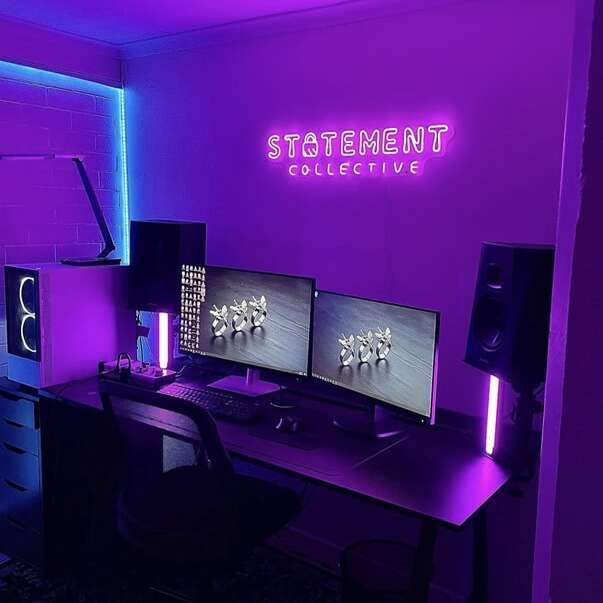
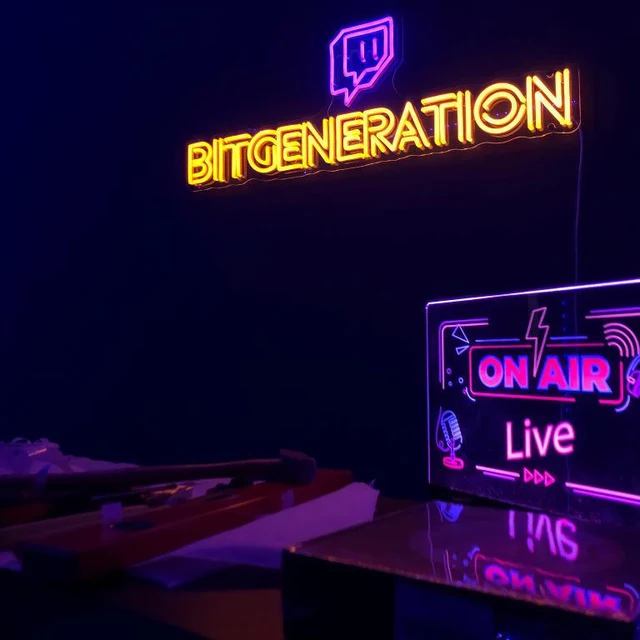
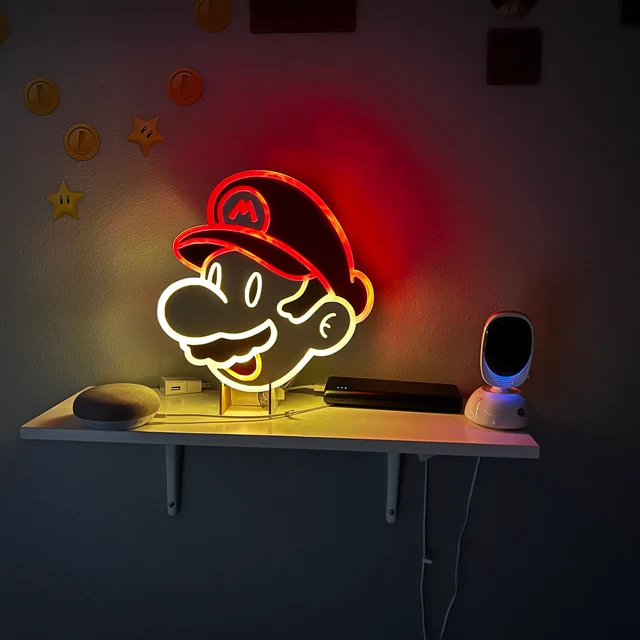
The Game Is the Screen. You Are the Overlay
This is the difference that changes everything about how a streaming sign works.
In a YouTube video, the person is the full frame. The camera captures the person and the wall behind them. The sign fills that background. The sign has the entire visible area to work with.
In a Twitch stream, the game is the full screen. The viewer is watching the game. The streamer appears in a small webcam overlay, usually in a corner. The overlay shows the person’s head, shoulders, and a small slice of the wall behind them. The sign must read within that small rectangle.
A sign that looks great as a YouTube backdrop may be invisible in a Twitch webcam overlay. If the sign is off to the side, it gets cropped out. If the sign is behind the person’s head, the text gets lost in the outline. If the sign is too small, it disappears into the background of an already small frame.
The engineering starts from the webcam frame, not from the room. Open your streaming software (OBS, Streamlabs, or whatever you use), turn on the webcam, and look at what the webcam actually captures. That rectangle is the space the sign has to work with. Everything outside that rectangle does not exist on screen.
Placement and Distance for Streaming Rooms
Streaming rooms position the sign differently from YouTube desk setups. The sign goes behind the streamer, to the left or right of the person’s head, so it reads clearly in the webcam overlay without being blocked by the person’s head and shoulders.
Distance matters. For a sign around 36 inches wide, 6 to 9 feet behind the streamer works in most streaming rooms. This distance creates depth in the webcam image. The sign is behind and slightly out of focus, creating a layered look where the person is sharp in the foreground and the sign glows in the background. If the sign is too close to the back of the person’s head, the webcam reads the glow around the person’s outline and the sign text gets lost in the glare. Distance separates the person from the sign.
For smaller signs (18 to 24 inches), closer placement (3 to 5 feet behind) works because the sign needs less depth to read. Match the distance to the sign size.
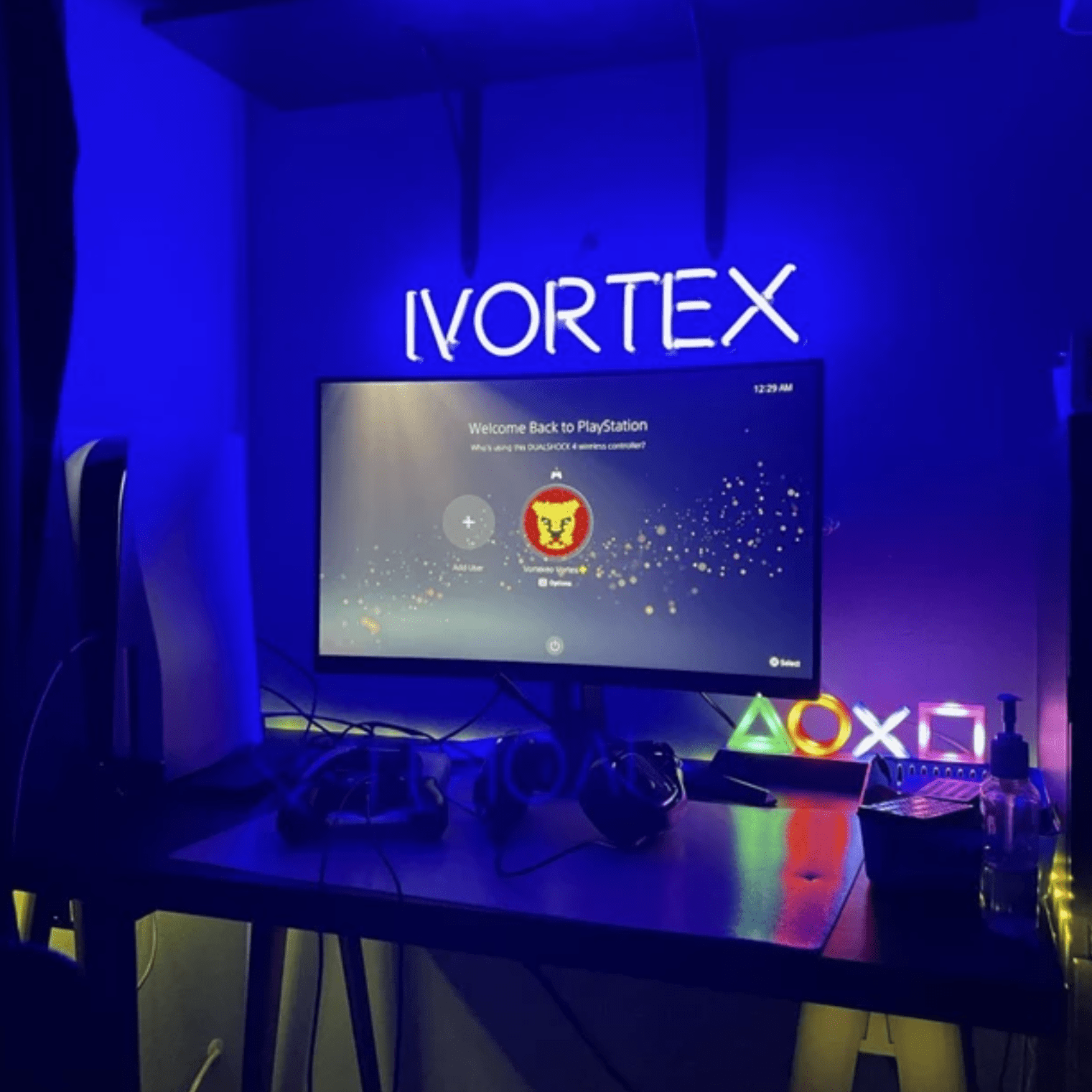
Streaming rooms are typically darker than YouTube studios or home offices. The sign is more visible in a dark room because there is less competing ambient light. Bold colors (pink, blue, purple, red) pop in a dark streaming room. The gaming room aesthetic leans into this: dark walls, colored lighting, RGB accents, and the neon sign as the focal point in the webcam background.
Test before mounting. Turn on the webcam in OBS, sit in the streaming position, and have someone hold the sign in different positions behind you. Watch the webcam preview. When the sign reads clearly, is not blocked by your head, and fits within the webcam crop, mark the spot and mount.
Green Screen and Sign Color
Many streamers use a green screen behind them for chroma key removal. The streaming software detects anything green in the webcam frame and removes it, leaving only the person overlaid on the game footage. This creates a problem with certain sign colors.
A green neon sign in front of a green screen confuses the chroma key software. The software reads the green glow from the sign and tries to remove it along with the green screen. The result is visual artifacts: the sign appears to flicker, partially disappear, or create a halo around the person where the green glow bleeds into the chroma key zone.
Red, blue, pink, purple, and warm white are safe choices with green screens. These colors do not register as chroma key targets. The sign glows clearly, the green screen removes cleanly behind it, and the webcam image looks correct.
If the streamer uses a blue screen (less common but used in some setups), then blue signs create the same problem and green signs are fine.
If the streamer does NOT use a green screen and uses their physical room as the backdrop, any sign color works. The green screen consideration only applies when chroma key is active. Test the sign color with the chroma key in streaming software before committing to a color choice.
Brightness in a Dark Streaming Room
Streaming rooms are typically darker than other rooms in the house. The webcam auto-adjusts for the room’s overall lighting. In a dark room, the neon sign is one of the brightest light sources the webcam sees.
If the sign is too bright, the webcam overexposes the sign area and the streamer’s face may darken as the camera compensates. A dimmer lets the streamer calibrate the sign brightness relative to the room’s lighting and the webcam’s auto-exposure. The sign should glow clearly without being the brightest thing in the frame.
Bold colors are more visible in dark rooms than in bright ones. A pink or blue sign at moderate brightness pops in a dark streaming room in a way it would not in a bright office. The dark environment works in the sign’s favor.
Streaming sessions run 4 to 8 hours or longer. The sign runs continuously during the entire session. LED neon flex handles this without overheating. Low power consumption. As natural light changes during a multi-hour stream (daylight fading into evening), the dimmer may need a small adjustment to keep the sign balanced with the room lighting.
Add a dimmer at the order stage.
Sizing for Streaming Setups
Sign size depends on the distance from the webcam and how much of the webcam frame the sign needs to fill.
Webcam backdrop at 6 to 9 feet behind the streamer: 30 to 36 inches wide. Readable with depth in the webcam image.
Webcam backdrop at desk distance (3 to 5 feet behind): 18 to 30 inches. The closer the sign, the smaller it should be to avoid dominating the webcam frame.
Wall beside the monitors: 20 to 36 inches. Visible in the wider room and adds to the gaming aesthetic, but may not appear in the webcam crop depending on the camera angle.
Shelf or desk surface: 12 to 20 inches. Tabletop placement for streamers with limited wall space.
Gamertag formatting note: gamertags with underscores, numbers, or special characters are standard. The custom builder handles text including underscores and numbers. For complex formatting, stylized gamertags, or custom logo treatments, contact the design team.
Mounting: Echo Neon signs ship with pre-drilled holes in the acrylic backboard. Drywall anchors for permanent mounting. Adhesive strips for lightweight signs. Standard wall mounting.
What Streamers Put on Their Signs
The sign carries the streamer’s identity. What goes on it depends on the channel, the games, and the brand the streamer is building.
Gamertag and username signs
The dominant streaming sign type. The gamertag glowing on the wall behind the webcam. This is the sign that builds brand recognition during every stream. A viewer who watches ten streams with the same gamertag sign in the background starts to associate the sign with the channel. The gamertag is the streamer’s identity, and the sign makes it physical.
Channel logo signs
Channel logo turned into neon. Upload the logo file (PNG, SVG, AI, or PDF) to the custom builder or contact the design team for complex artwork. A logo sign behind the webcam builds brand presence that carries across streams, clips, and screenshots.
Catchphrase and tagline signs
The streamer’s signature phrase or tagline. The phrase the community associates with the channel. A catchphrase sign reinforces brand identity in the webcam background.
Gaming icons and platform signs
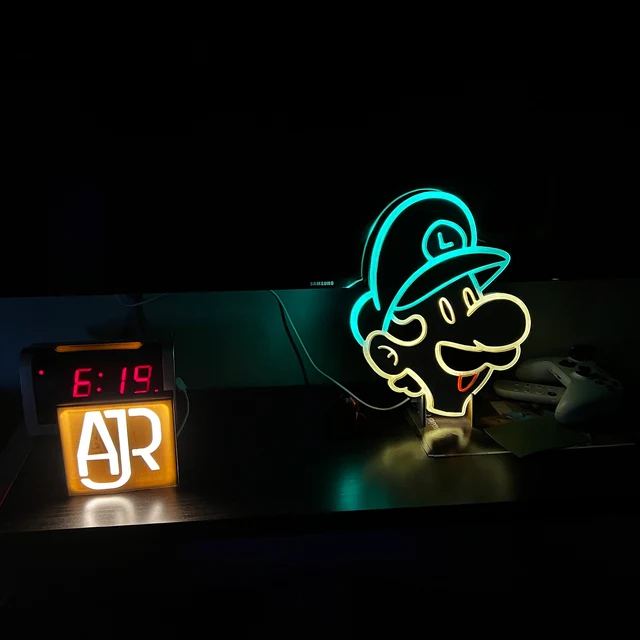
Controller icons, headset icons, gaming-themed shapes. Accent signs alongside the gamertag. Smaller supporting pieces that add to the gaming room aesthetic without competing with the primary sign.
Ambient and mood signs
Signs that add color and atmosphere to the streaming room without direct branding. Shapes, abstract designs, single-word mood signs. Part of the overall gaming room aesthetic that makes the webcam background look intentional and curated.
Frequently Asked Questions
Behind you, to the left or right of your head. 6 to 9 feet behind for a 30 to 36 inch sign. Closer for smaller signs. The sign must read within the webcam crop, not just look good on the wall. Test the webcam frame in OBS before mounting.
Avoid green signs with green screen chroma key. The green glow creates artifacts where the software tries to remove the sign along with the screen. Red, blue, pink, purple, and warm white are safe choices. Test with your chroma key software before committing.
Not with a dimmer. Streaming rooms are dark, so the sign is already more visible than it would be in a bright room. Set brightness so the webcam does not overexpose. The sign should glow clearly without overpowering your face in the frame. Add a dimmer at the order stage.
6 to 9 feet behind: 30 to 36 inches. Desk distance (3 to 5 feet): 18 to 30 inches. Shelf or desk surface: 12 to 20 inches. Match the size to the distance and the webcam frame.
6 to 9 feet behind works for most streaming rooms with a 30 to 36 inch sign. This distance creates depth in the webcam image. The sign is behind and slightly out of focus while the person is sharp in the foreground. Closer for smaller signs.
Yes. The custom builder handles standard text including underscores and numbers. For complex formatting, special characters, or stylized gamertags, contact the design team.
Yes. The same webcam framing, placement, and brightness principles apply to Kick, Facebook Gaming, YouTube Gaming, and any platform with a webcam overlay on game footage or content.
Yes. LED neon flex runs cool and handles 4 to 8 hours of continuous operation without overheating. Low power consumption. The sign will not overheat during a long session.
Echo Neon’s custom builder gives you full control over font, color, size, and backboard style. Your gamertag, your logo, your brand. Generic marketplace signs offer limited fonts and inconsistent quality. A custom sign is built to your exact specifications with free shipping.
Build a Sign That Works on Stream
Custom LED neon signs are how a lot of streaming setups get their visual identity. Echo Neon builds LED signs for streamers because LED is what the webcam needs: dimmable, silent, no flicker, and bold enough to glow within a tight webcam crop without overpowering the person in the frame. A gamertag on the wall behind the webcam. A channel logo that appears in every stream, every clip, and every screenshot. A sign that works in the dark, works with the green screen, and runs for hours without issue. We have been building streaming signs since 2015.
To start your build, head to the custom sign builder or browse our pre-made streaming signs. To explore other use cases, see all shop by use case options.